 Split Robot
Coming soon
Split Robot
Coming soon
Split Robot
Coming soon
Split Robot
Coming soon
Everyone records on their own phone and it all syncs instantly. Mix yen and dollars freely, then settle up in one tap with the fewest transfers.
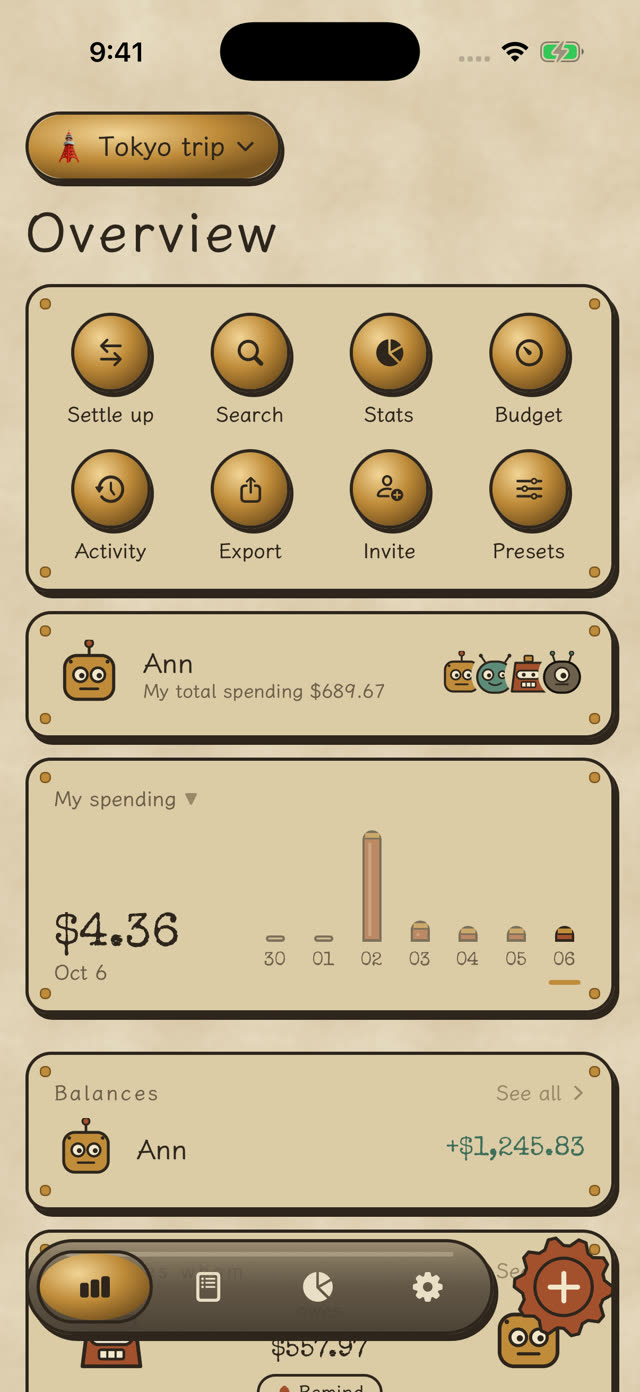
The hard part of coming home from a trip isn’t the photos, it’s the money: who paid for the hotel, who covered dinner, how the yen converts.
Split Robot converts every record into one currency, works out what each person is owed or owes, and simplifies it into the fewest transfers.
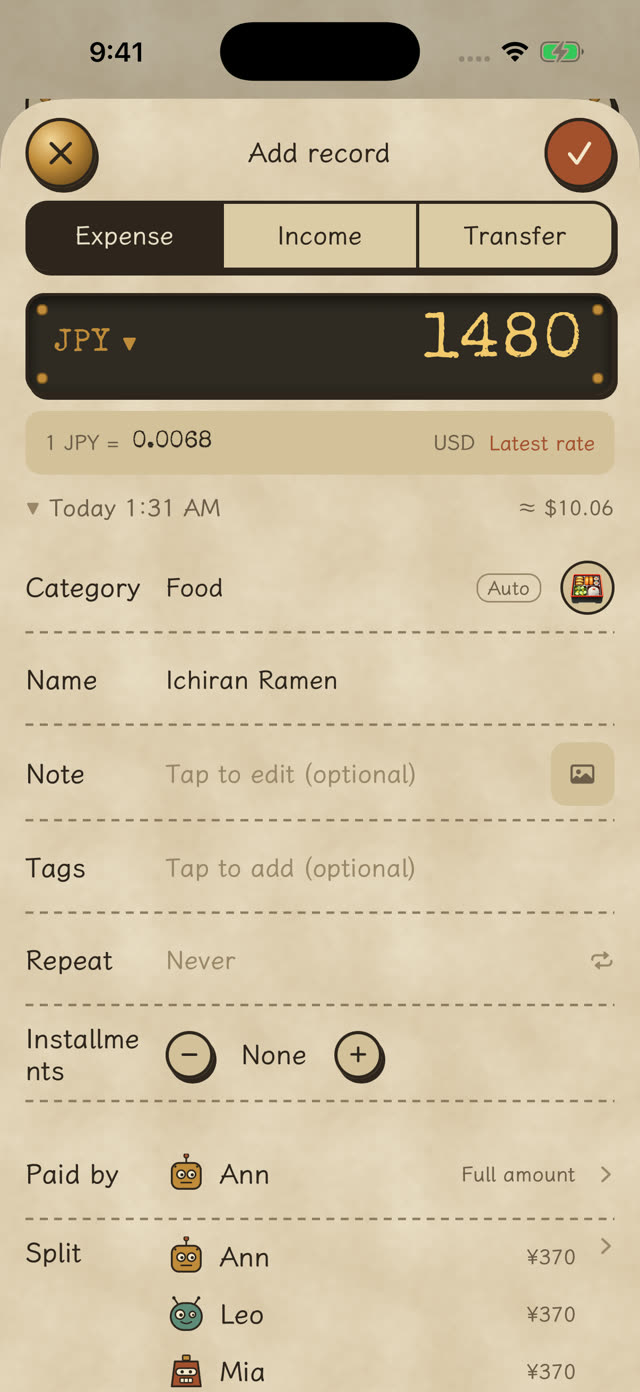
Type sums on the calculator keypad, pick a name you used before, and the category is filled in from your past records.
Paid ¥1,480 in Japan? Choose JPY and enter the amount. It converts with your last rate or the latest one.
“Add an expense in Split Robot” — say the amount and name, no app to open. Put it in Control Center, on the Action button, or run it after paying with Apple Pay.
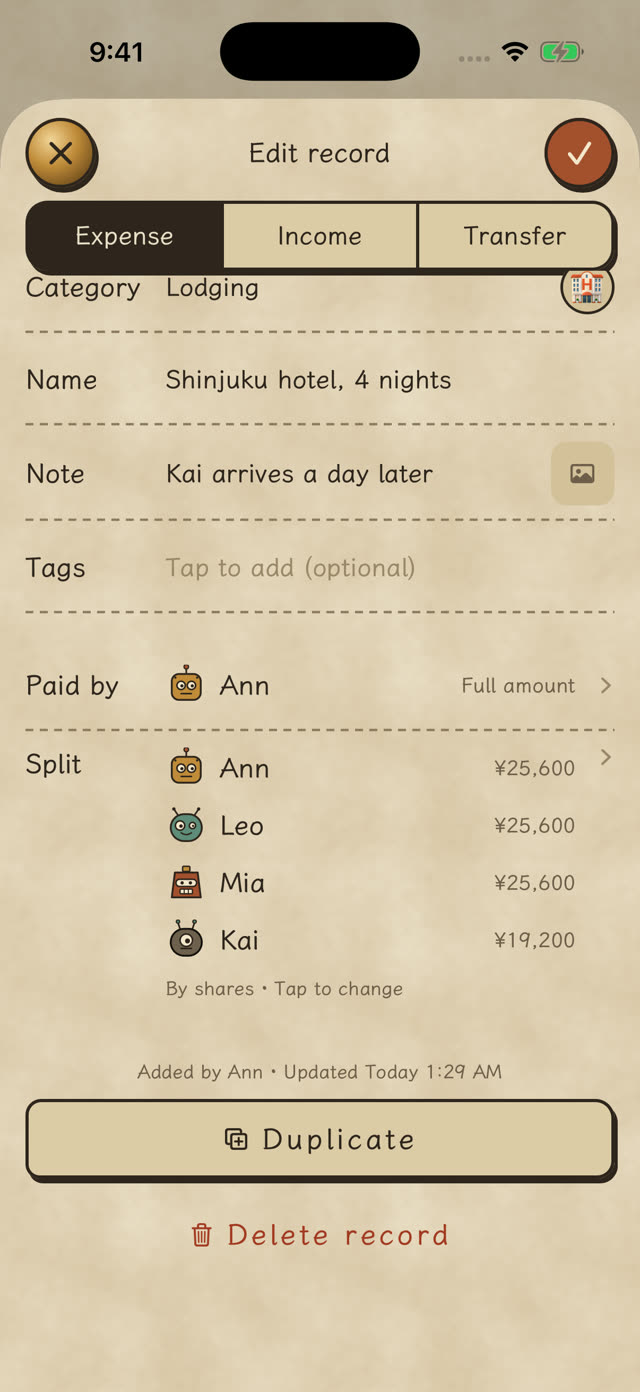
Someone arrives a day late, someone doesn’t drink, someone only had half — Split Robot handles it.
Four hotel nights, and Kai arrived a day late: split by nights — Ann, Leo and Mia 4 shares each, Kai 3.
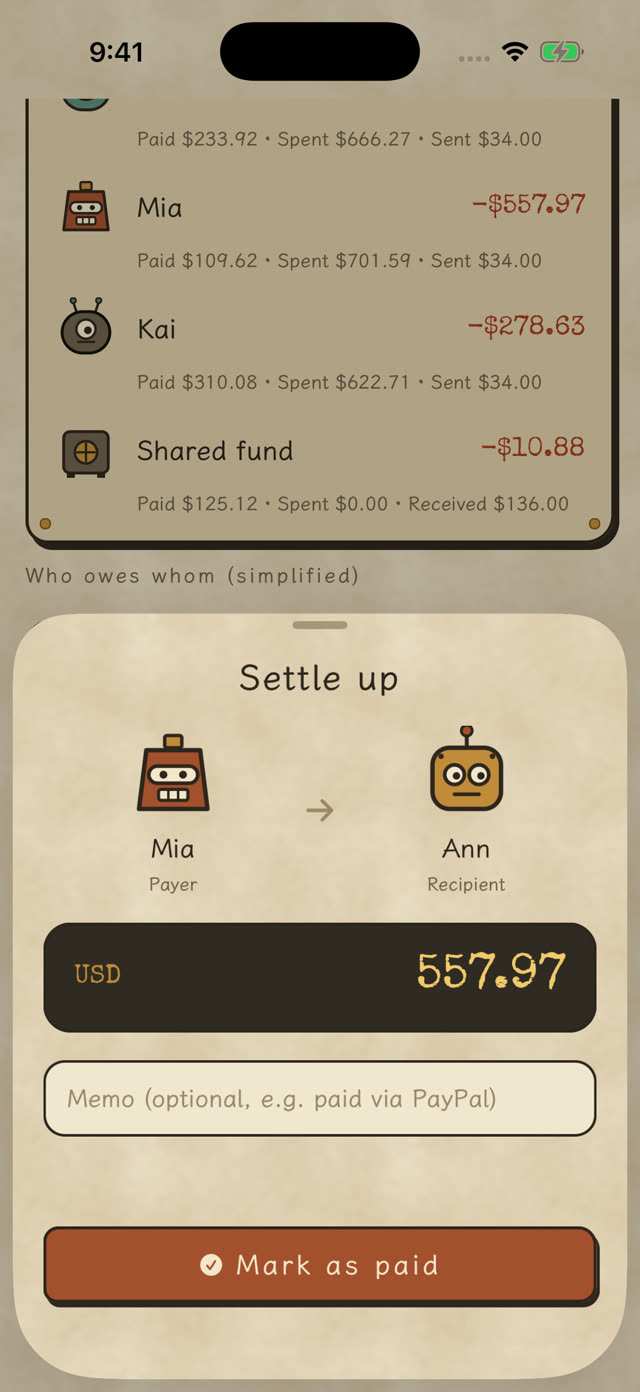
Positive means others owe you; negative means you owe. Every number is broken down into paid, spent and sent, so you can check it yourself.
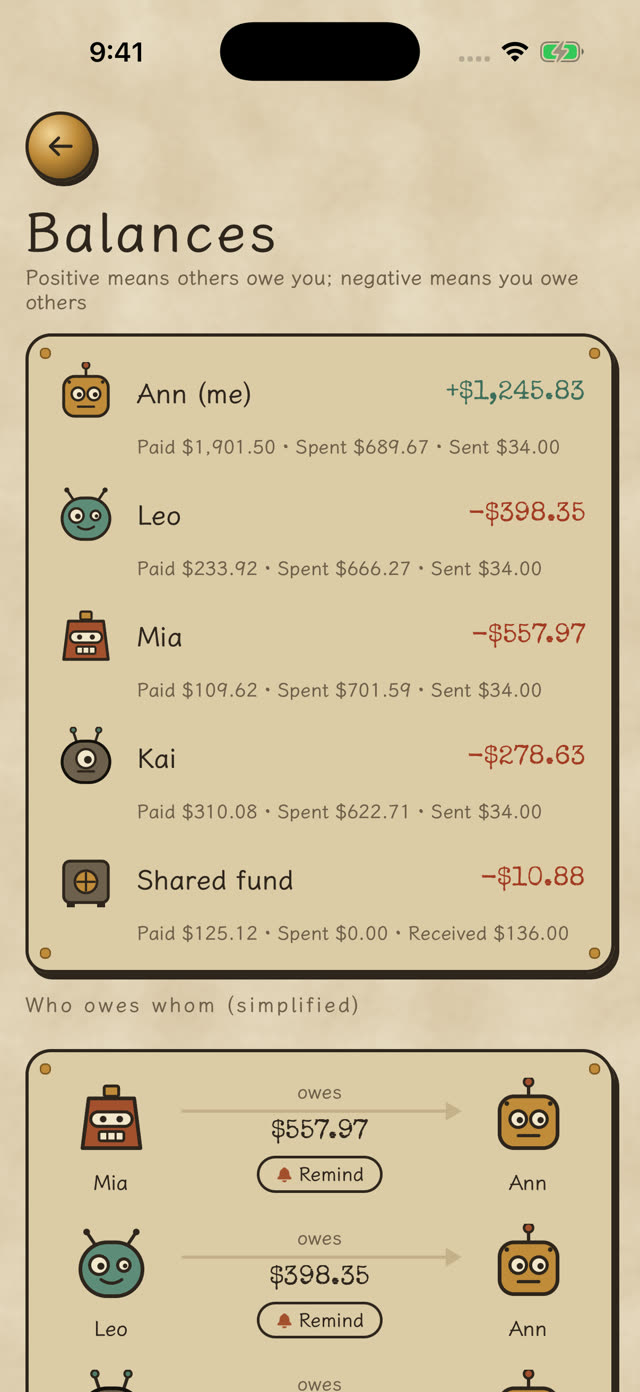
Someone hasn’t paid? Tap Remind and their phone gets a notification. For friends without the app, send the reminder through any messaging app.
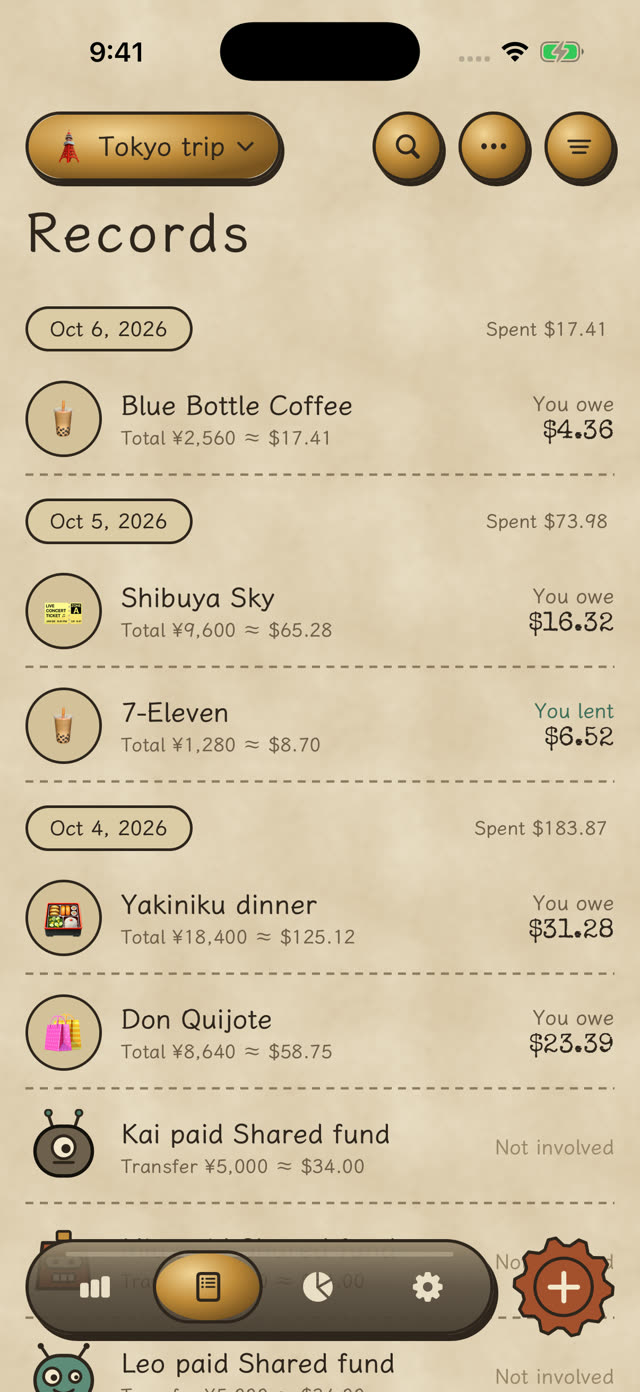
Share an invite code or QR code and friends join in. Each record shows the total and your part: you lent, you owe, or not involved.
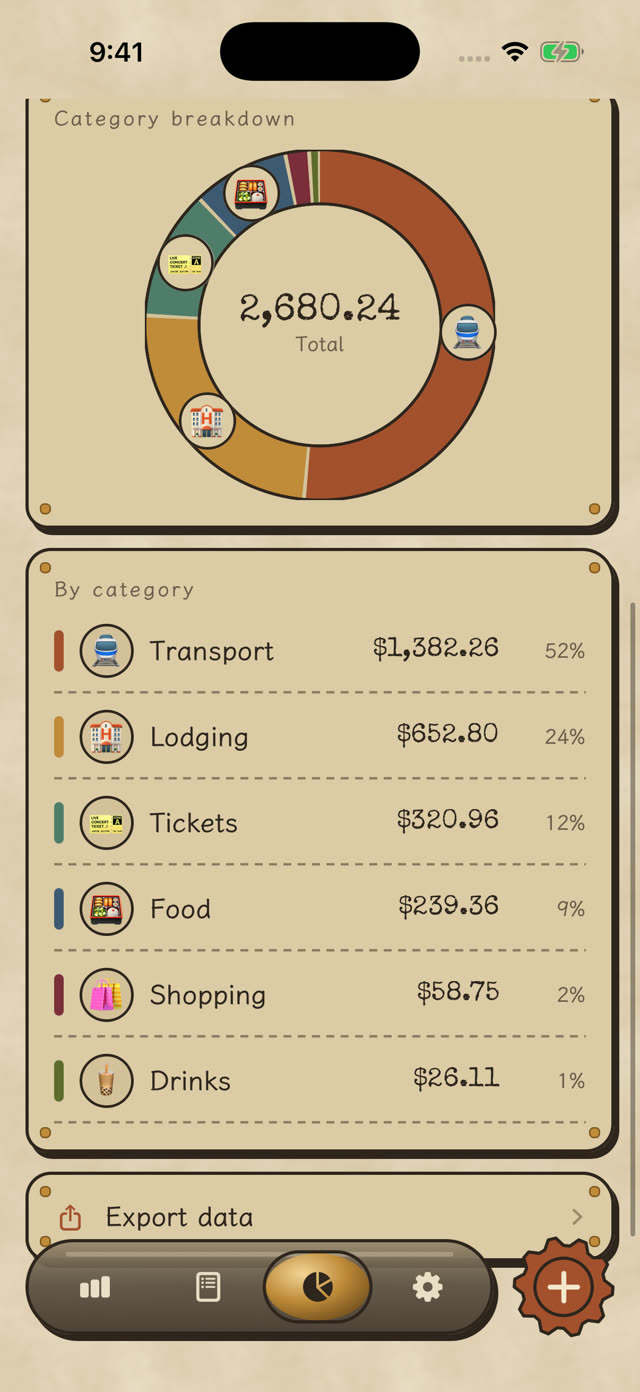
By category, member or month, for the whole group or just your part. Set budgets to stay on track.
Pool money first, pay from the fund, always see what’s left.
Today’s spending and top category; tap to add a record.
Set up rent or subscriptions once; they’re recorded automatically. (Pro)
Daily, weekly, monthly or whole-trip budgets.
One tidy summary to share with everyone after the trip.
Restore mistakes; every change is logged.
Split Robot doesn’t sell data and has no analytics tracking you.
Recording, splitting and settling up are always free; the free version shows ads. Pro adds unlimited groups and photos, search, recurring expenses, app icons and themes, and no ads — monthly or annual, both with a free trial.
No. Add them as members and record for them; when they install the app later, an invite link connects them to that member.
Yes. Record each expense in its own currency; stats and balances are converted to the group currency.
Sign in with Apple under Settings › Account & sync, then sign in with the same Apple ID on the new phone.
No. It records and calculates; pay back however you like, then tap “Mark as paid”.
No sign-up. Invite your friends and never reconcile receipts again.